> ## Documentation Index
> Fetch the complete documentation index at: https://docs.blockworks.com/llms.txt
> Use this file to discover all available pages before exploring further.
# ChatGPT
> Install the Blockworks plugin for ChatGPT and ask questions against Blockworks market, onchain, and research data without leaving the chat.
The Blockworks plugin for ChatGPT brings market data, fundamentals, research, news, signals,
events, and fundraising data into your ChatGPT conversations. Install it from the ChatGPT
plugin directory, authorize it once with your Blockworks API key, and ChatGPT can pull
Blockworks data whenever a question calls for it.
The plugin is the Blockworks MCP server packaged for ChatGPT's plugin directory. It answers
from the same datasets and the same [tools](/mcp/tools/overview) as any other MCP client,
but there is no server URL to paste and no developer mode to enable. If you would rather
create the connection by hand, see the ChatGPT tab in [Client setup](/mcp/clients).
## What you need
* A ChatGPT account with access to plugins.
* A Blockworks API key. Generate or view yours at
[app.blockworks.com/account/api](https://app.blockworks.com/account/api).
## Installation
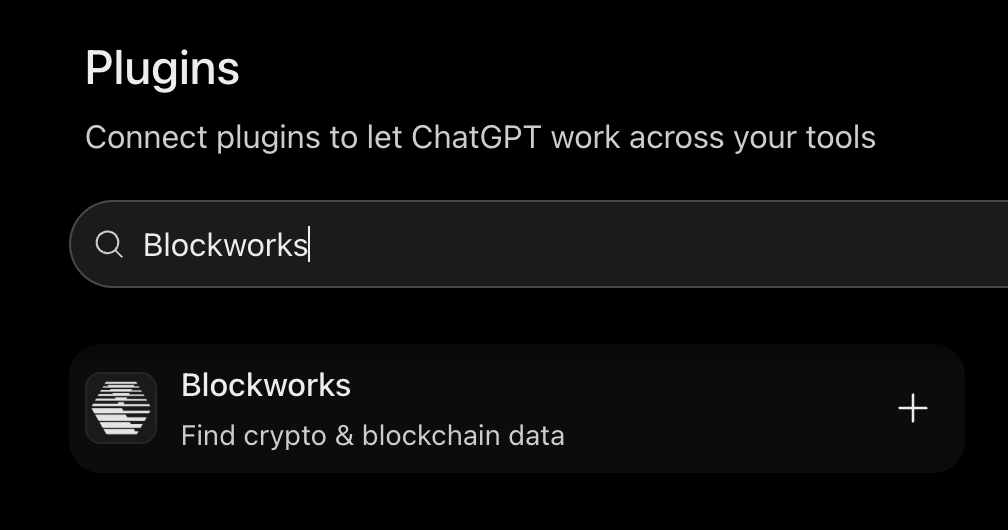
In ChatGPT, open the plugin directory (the **Plugins** button below the composer, or
**Plugins** in settings) and search for **Blockworks**.
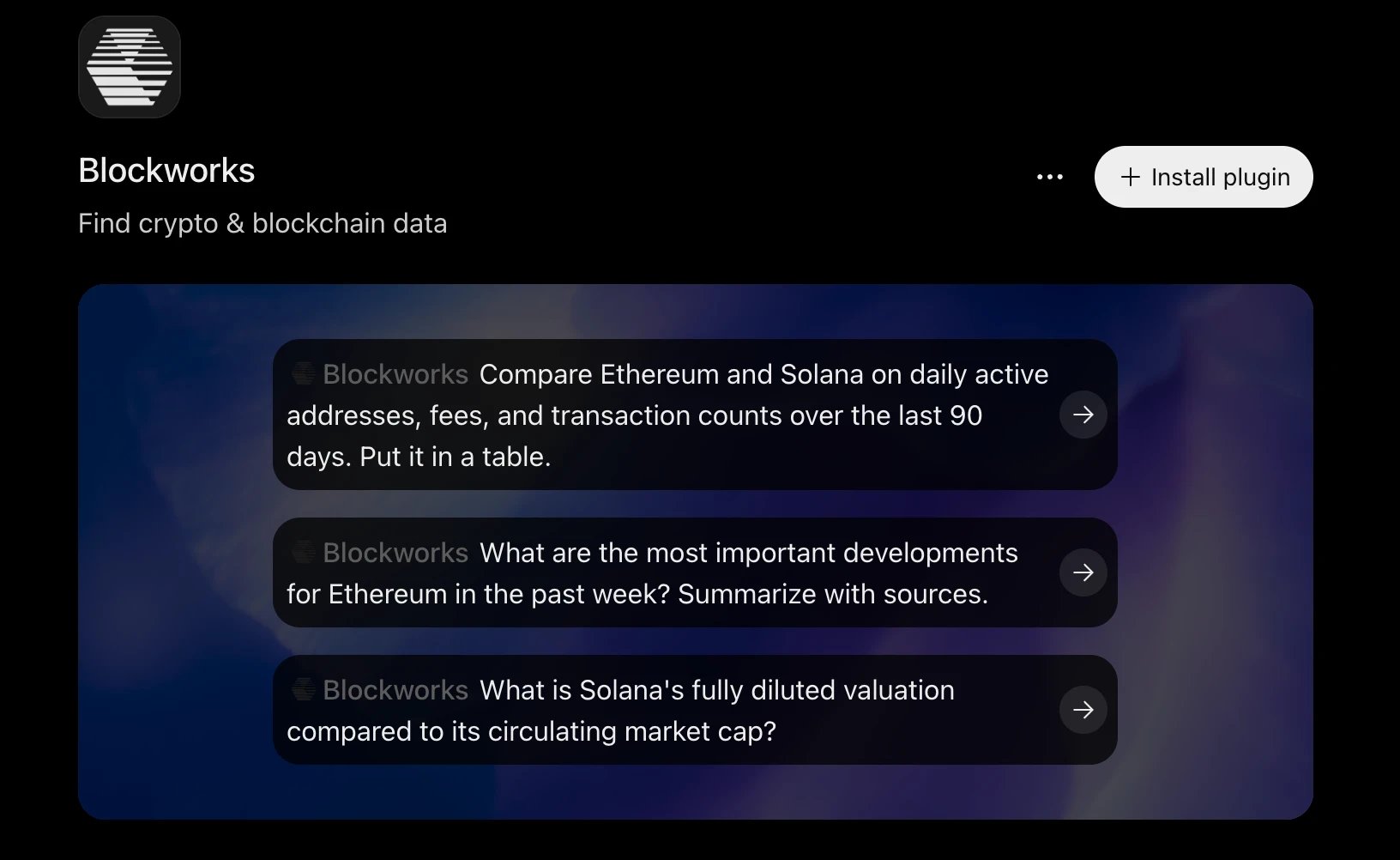
 Open the listing and click **Install plugin**.
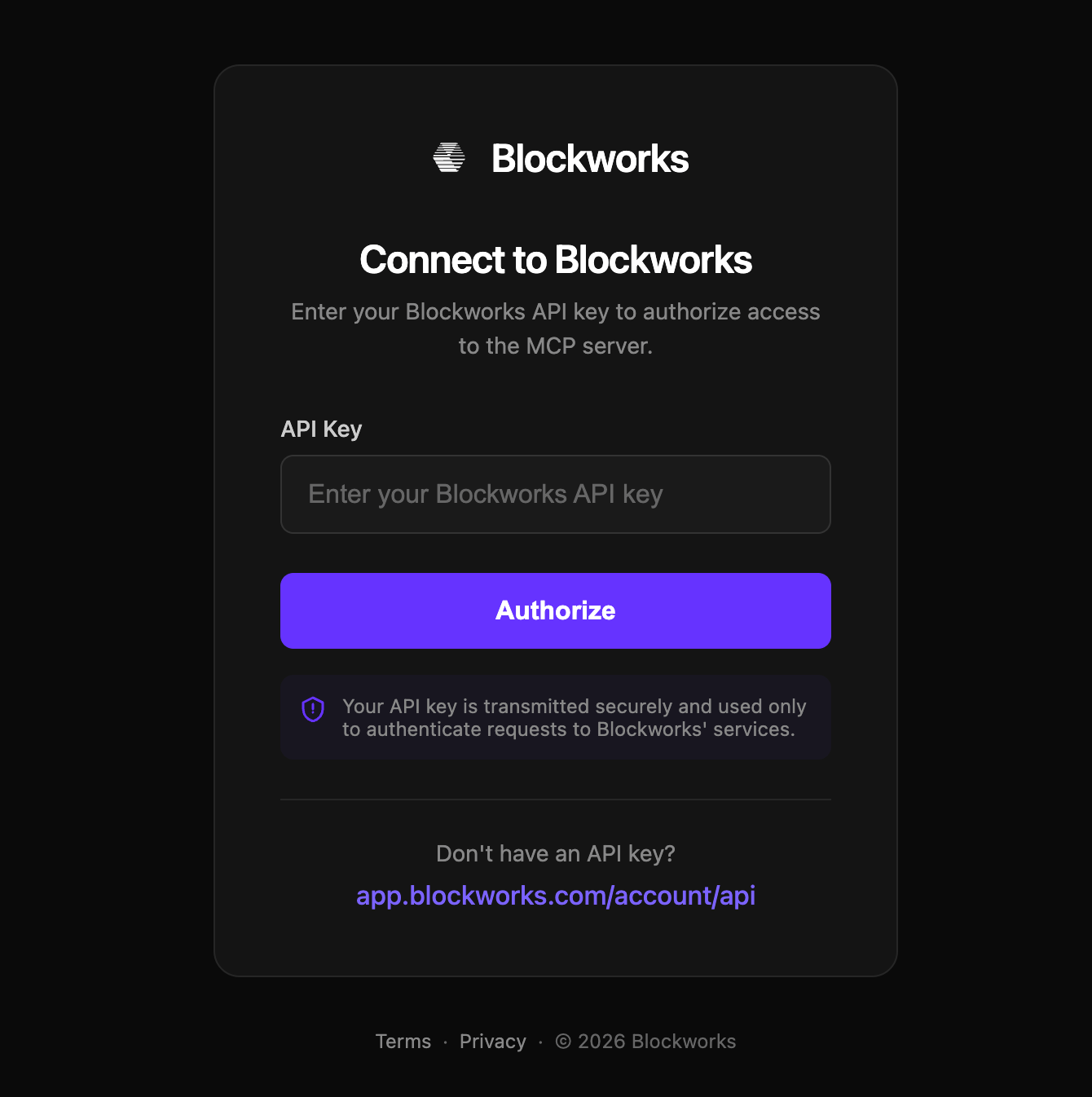
 ChatGPT opens a Blockworks authorization page. Paste your API key and click
**Authorize**. The key is sent to Blockworks only, and ChatGPT stores the resulting
credentials so you do not have to repeat this step.
ChatGPT opens a Blockworks authorization page. Paste your API key and click
**Authorize**. The key is sent to Blockworks only, and ChatGPT stores the resulting
credentials so you do not have to repeat this step.
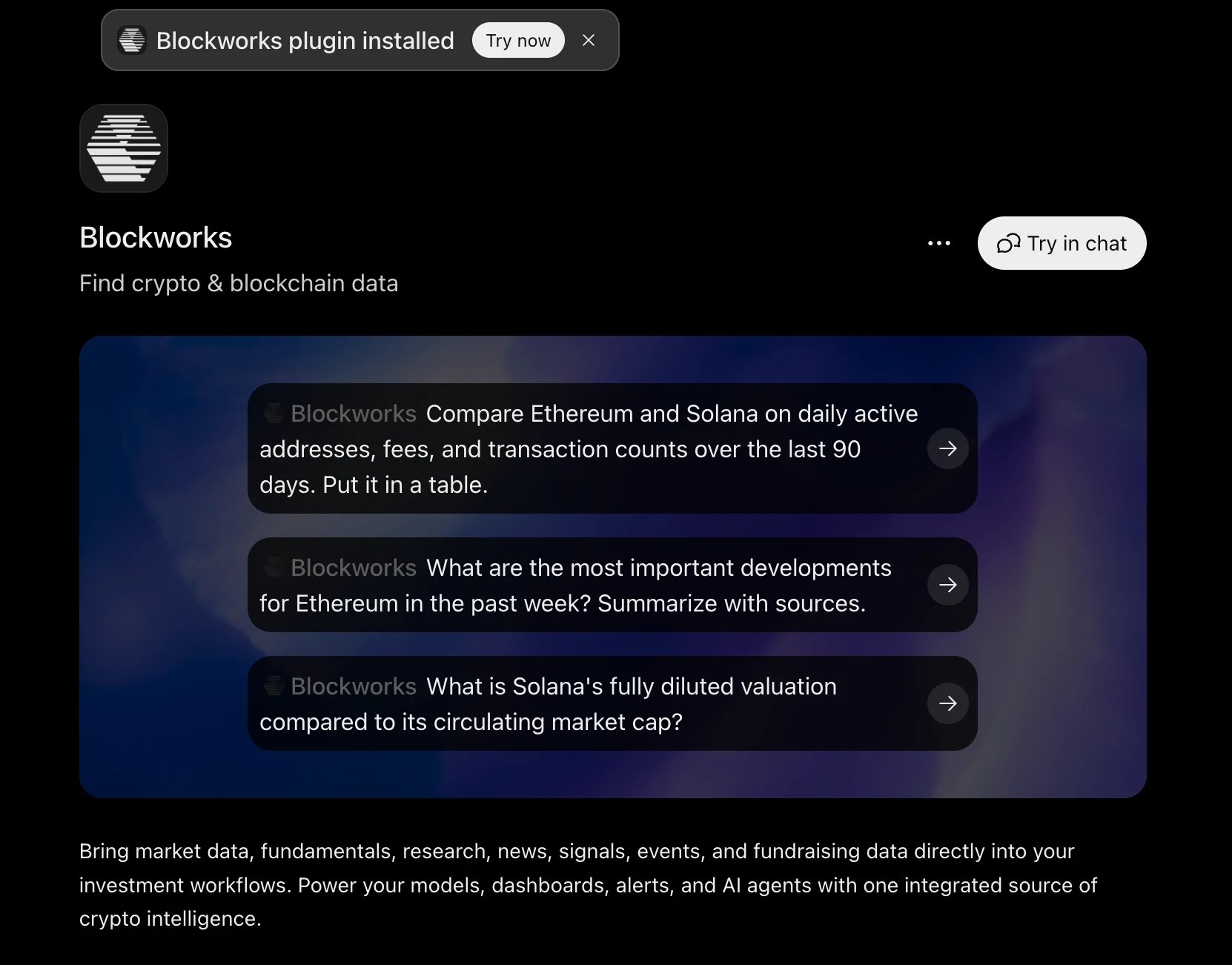
 Back in ChatGPT the listing shows **Blockworks plugin installed**, with a **Try in chat**
button and a few example prompts to start from.
Back in ChatGPT the listing shows **Blockworks plugin installed**, with a **Try in chat**
button and a few example prompts to start from.
 ## Using the plugin
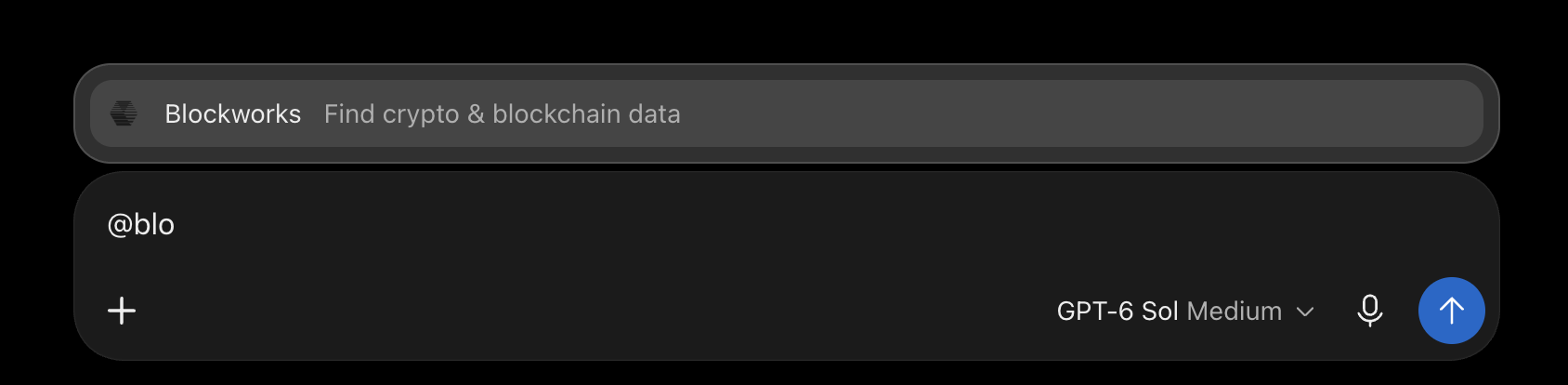
Once installed, ChatGPT calls the plugin on its own when a question needs Blockworks data.
To make sure a request goes to Blockworks, type `@` in the composer and pick **Blockworks**
from the list, then write your question.
## Using the plugin
Once installed, ChatGPT calls the plugin on its own when a question needs Blockworks data.
To make sure a request goes to Blockworks, type `@` in the composer and pick **Blockworks**
from the list, then write your question.
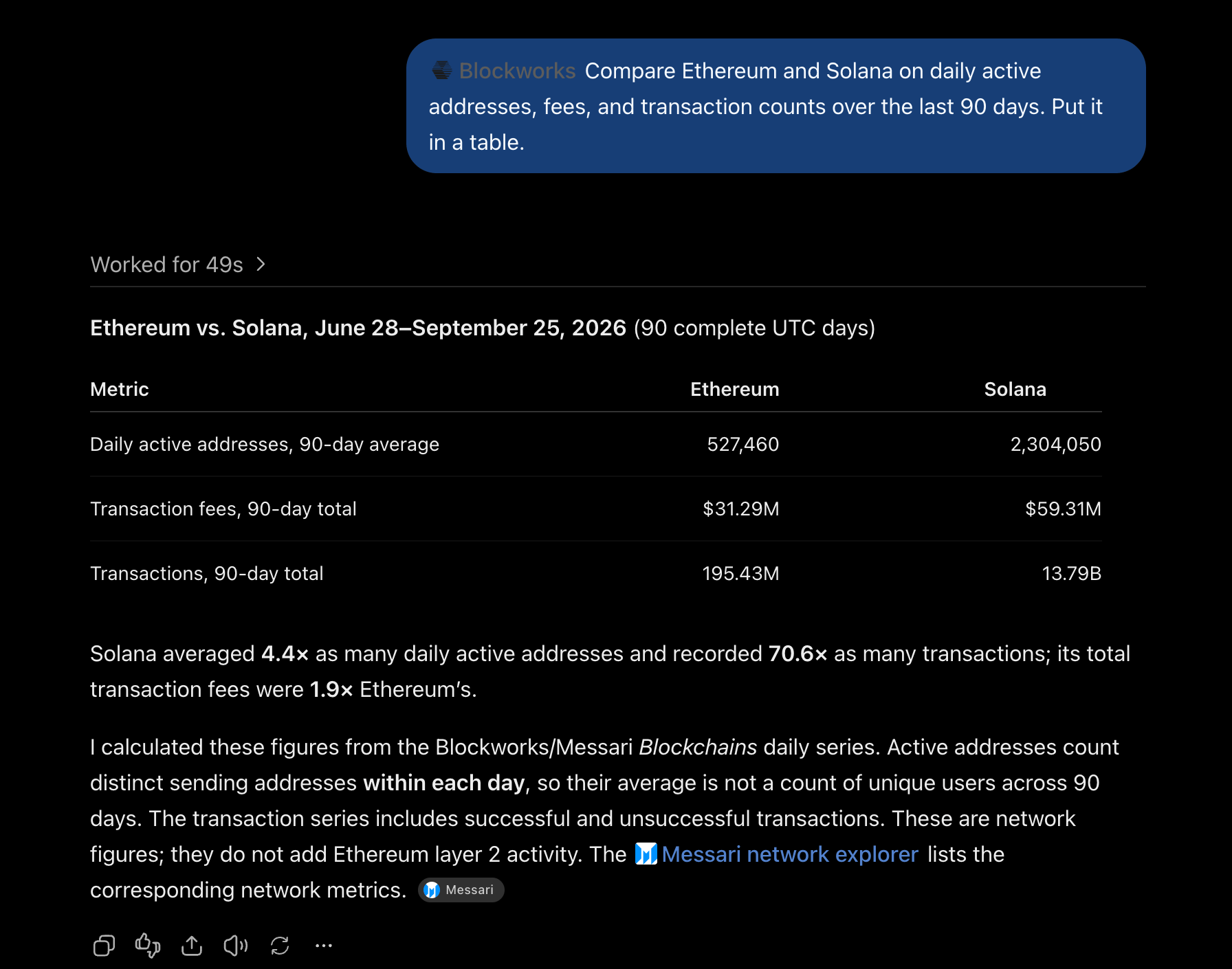
 Ask the kind of question you would ask an analyst. ChatGPT works out which datasets to
query, fetches the series, and does the arithmetic:
Ask the kind of question you would ask an analyst. ChatGPT works out which datasets to
query, fetches the series, and does the arithmetic:
 Prompts that work well:
* Compare Ethereum and Solana on daily active addresses, fees, and transaction counts over
the last 90 days. Put it in a table.
* What are the most important developments for Ethereum in the past week? Summarize with
sources.
* What is Solana's fully diluted valuation compared to its circulating market cap?
For more prompt patterns, and how to steer the assistant toward the right dataset, see
[Prompt guide](/mcp/prompts).
## Access to data
Which datasets the plugin can query is determined by your organization's API permissions.
If ChatGPT reports that a metric or dataset is unavailable, check the APIs enabled for your
key at [app.blockworks.com/account/api](https://app.blockworks.com/account/api).
## Troubleshooting
* **Authorization failed or expired.** Remove the Blockworks plugin in ChatGPT, then install
it again and enter your key. Reinstalling is what clears the stored credentials.
* **ChatGPT answers without using the plugin.** Add an `@Blockworks` mention to the prompt,
or name the metric and entity explicitly.
* **Your workspace does not show the plugin.** Plugin installs can be restricted by a
ChatGPT workspace administrator. Ask your admin to allow it, or connect through a
developer-mode connector as described in [Client setup](/mcp/clients).
Anything that applies to the MCP server also applies here, so the
[MCP troubleshooting](/mcp/troubleshooting) page covers the rest.
Prompts that work well:
* Compare Ethereum and Solana on daily active addresses, fees, and transaction counts over
the last 90 days. Put it in a table.
* What are the most important developments for Ethereum in the past week? Summarize with
sources.
* What is Solana's fully diluted valuation compared to its circulating market cap?
For more prompt patterns, and how to steer the assistant toward the right dataset, see
[Prompt guide](/mcp/prompts).
## Access to data
Which datasets the plugin can query is determined by your organization's API permissions.
If ChatGPT reports that a metric or dataset is unavailable, check the APIs enabled for your
key at [app.blockworks.com/account/api](https://app.blockworks.com/account/api).
## Troubleshooting
* **Authorization failed or expired.** Remove the Blockworks plugin in ChatGPT, then install
it again and enter your key. Reinstalling is what clears the stored credentials.
* **ChatGPT answers without using the plugin.** Add an `@Blockworks` mention to the prompt,
or name the metric and entity explicitly.
* **Your workspace does not show the plugin.** Plugin installs can be restricted by a
ChatGPT workspace administrator. Ask your admin to allow it, or connect through a
developer-mode connector as described in [Client setup](/mcp/clients).
Anything that applies to the MCP server also applies here, so the
[MCP troubleshooting](/mcp/troubleshooting) page covers the rest.